

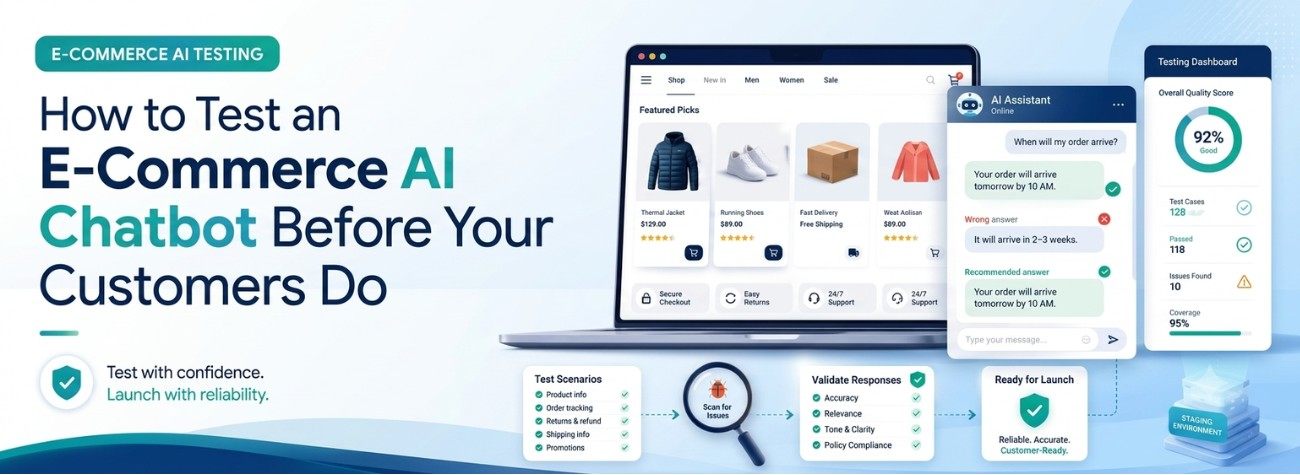
A customer asks your chatbot whether a jacket is waterproof. The bot says yes. It isn't — it's water resistant, which the product page states clearly, three tabs down. The jacket gets returned. You pay the shipping. The customer leaves a two-star review that mentions the chatbot by name. And somewhere in your analytics, that conversation is logged as a successful resolution, because the bot answered without needing a human.
This is the quiet problem with AI chatbots in online retail. When they fail, they usually fail confidently, and nothing in your dashboard raises a hand.
The fix isn't a better AI model. It's the thing every other piece of software on your site already gets and your chatbot probably doesn't: testing before it goes live.
Why Chatbots Skip Testing When Nothing Else Does
Think about how you'd ship a change to your checkout. Someone builds it, someone reviews it, it goes to a staging site, a few people click through it, and only then does it reach customers.
Now think about how most chatbot changes happen. Someone opens the admin panel, edits the instructions, uploads a new PDF, and saves. It's live. Immediately. To everyone.
There are three reasons this happens:
It doesn't look like code. Editing a sentence in a prompt feels like editing a page of text, not changing software. But that sentence controls how the bot answers thousands of questions.
The failures are invisible. A broken checkout throws an error. A broken chatbot gives a fluent, confident, wrong answer — and only the customer sees it.
Changes have side effects. Add a new returns policy document and the bot may start using it to answer shipping questions too. You changed one thing and something unrelated moved.
That last one is the real danger. Most chatbot damage doesn't happen at launch. It happens three months later, when someone makes a small change, and nobody checks what else it touched.
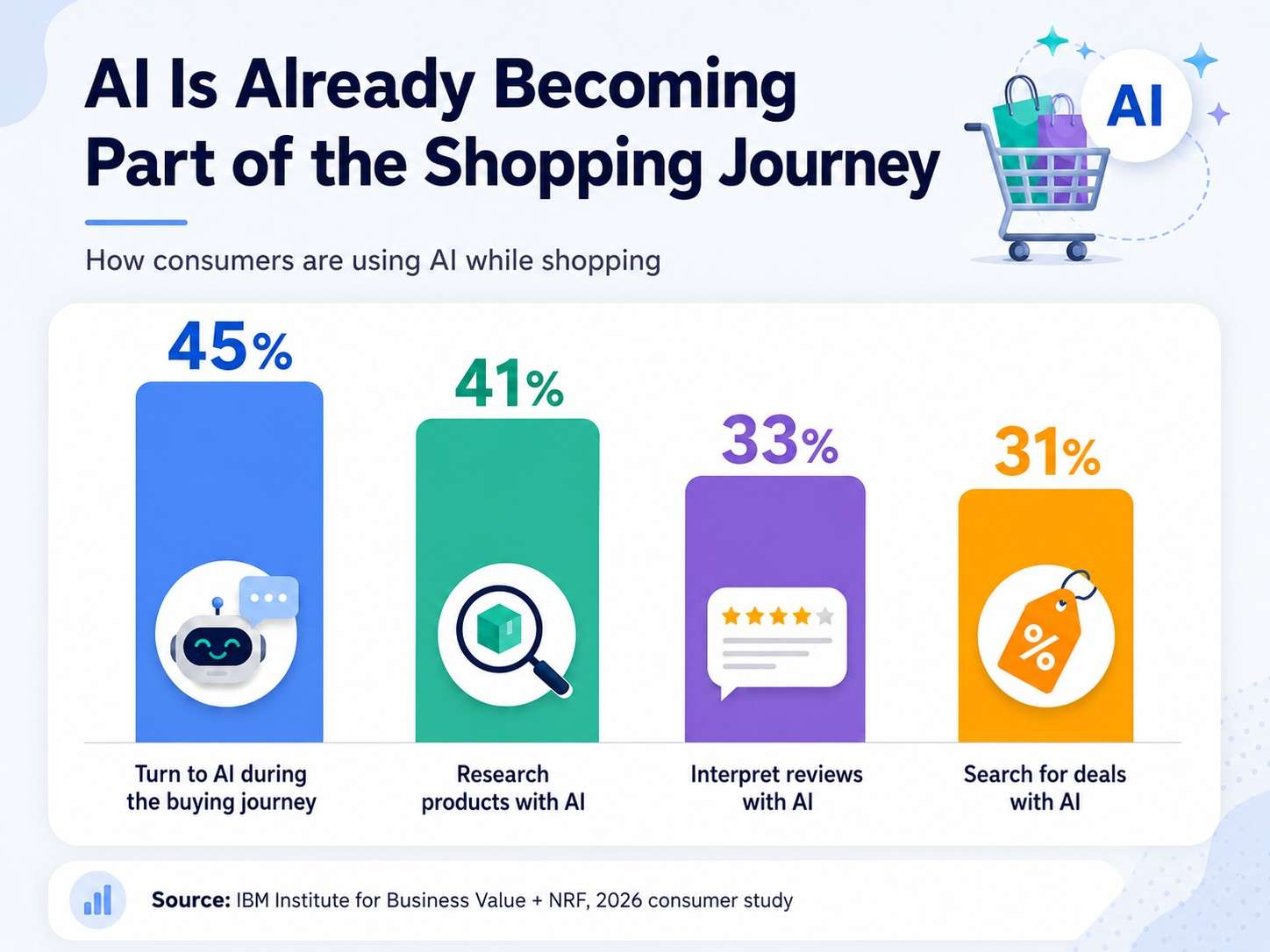
The Five Things to Test
Testing a chatbot isn't "let a few people try it." Here's what to actually check.
1. The Facts
Write down 30 to 50 real questions your customers ask, with the correct answer beside each one. Pull them from your support inbox, not your imagination.
For an online store, that means:
- Price and stock for specific products
- Shipping costs and delivery timeframes by region
- Returns window and who pays return postage
- Sizing and fit questions
- Compatibility — will this part fit that model
- Order status and tracking
This list is your test set. Every question has one right answer. Run all of them and check each response. It's tedious the first time and quick every time after.
2. The Guardrails
Just as important as what the bot should say is what it should refuse to say.
Your bot should never invent a delivery date, promise a discount, guarantee that an out-of-stock item is coming back, give medical or safety advice about a product, or confirm compatibility it can't verify.
Test these deliberately. Ask it to guarantee next-day delivery. Ask for a discount code. Ask whether a supplement will help a health condition. A well-configured bot says it doesn't know and offers to connect you with someone. A poorly configured one makes something up to be helpful.
"I don't know, let me get someone" is the correct answer. Customers forgive it. They don't forgive a wrong answer that costs them a return.
3. The Messy Edges
Real customers don't type neatly. Test:
- Typos and half-sentences — "do u shp to canda"
- Two questions at once — "is this in stock and can I return it?"
- Mixed languages, or switching language mid-conversation
- Frustration — "this is the third time I'm asking"
- Completely off-topic questions, including deliberately provocative ones
That last group matters more than it sounds. An off-topic answer is the kind that ends up as a screenshot on social media.
4. The Handoff
Every bot eventually needs to pass a conversation to a person. Test that path properly:
- Does it escalate when it should — low confidence, sensitive topic, or a direct request for a human?
- Does the person receive the full conversation, or does the customer have to start over?
- What happens outside business hours?
Making a frustrated customer repeat their whole problem to a human is worse than never having a bot at all.
5. The Live Connections
If your bot claims to know stock levels or order status, test that it's genuinely reading them and not answering from a page it indexed last month.
Set an item out of stock and ask about it. Change the price and ask again. A bot confidently quoting a price you changed two weeks ago is a chargeback waiting to happen.
We've written separately about why chatbots often retrieve the right product page and still give the wrong answer — the mechanics behind this are worth understanding.
Build the Test Set Once, Run It Forever
The single most useful habit here is keeping that list of questions and correct answers as a permanent document.
Every time you change the prompt, add a knowledge source, update a policy, or switch models — run the whole list again. Not just the part you think you changed.
This is called regression testing, and it exists because the thing that breaks is almost never the thing you touched. A realistic starting point: 30 questions, half an hour to run manually, once per change. That's it. Most stores never do this, which is exactly why it's worth doing.
Testing Shouldn't Depend on Someone Remembering
Most chatbot platforms give you a text box and a save button. The OST AI Assistant is built the other way around — with the controls a retail team actually needs to change things safely.
- Test and Production Environments at Delivery. We provide test and production environments at delivery so you can validate the AI Assistant before it goes live.
- Prompt, knowledge, guardrail, and workflow testing. Check that new instructions behave, that a newly uploaded document returns the expected answers, that restricted and out-of-scope questions are handled properly, and that integrations, routing, and handoffs work — all before launch.
- Version history and one-click rollback. If a change makes things worse, restore the previous working configuration immediately instead of trying to remember what you edited.
- Approval workflows, role-based permissions, and audit logs. Important changes get reviewed before they go live, and every change is recorded — what changed, who changed it, and when.
- Confidence-based handoff rules. The AI decides when to answer, clarify, refuse, or escalate — and when a person steps in, the full conversation context comes with them.
- Grounded in your data, with citations. Answers come from your catalogue, policies, FAQs, and documents — not the open web — and every response shows which source it used, so tracing a wrong answer takes minutes instead of guesswork.
Book a 30-minute walkthrough · No commitment, ask us anything
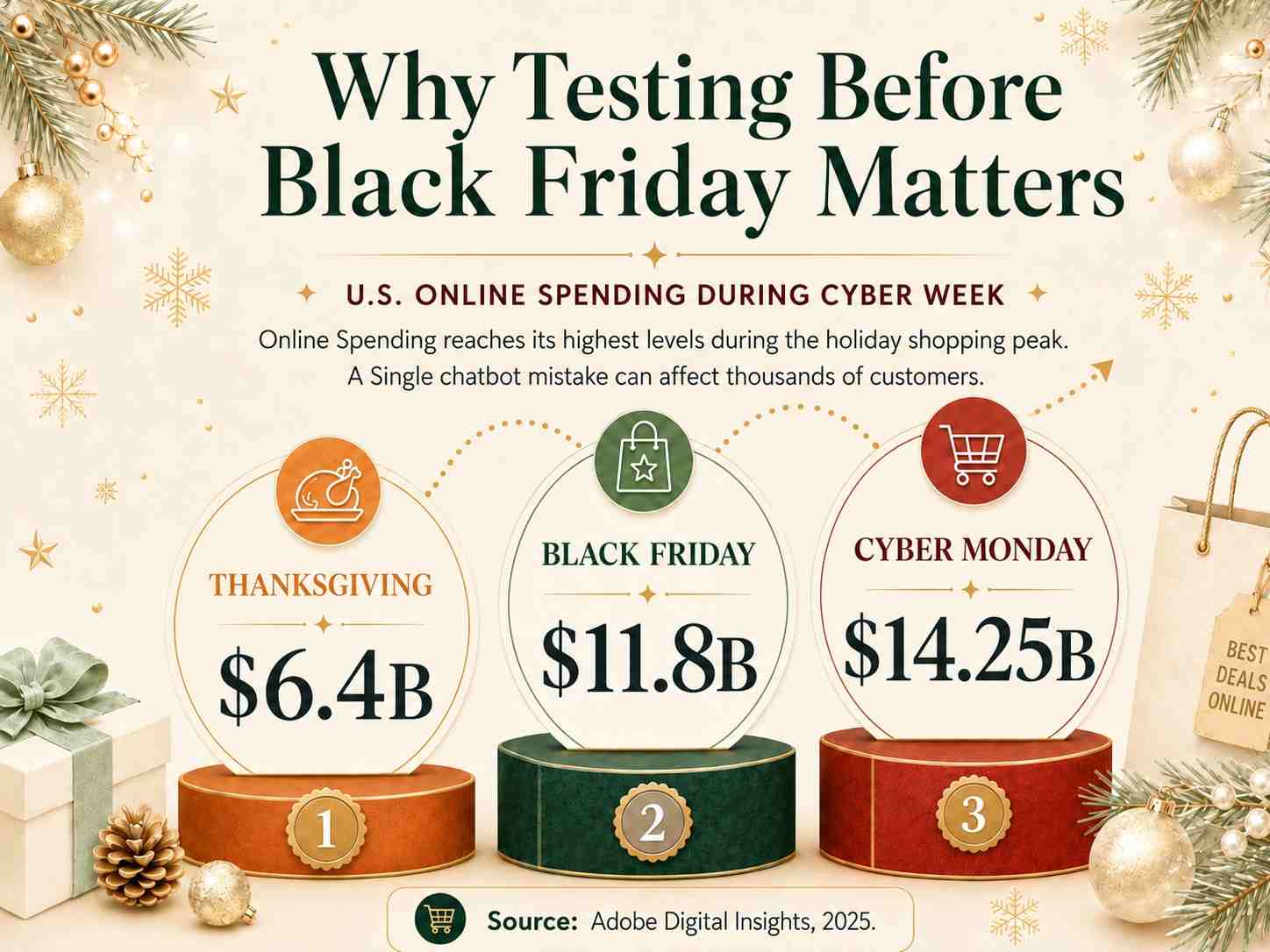
Test Harder Before Your Busiest Week
The worst time to discover a chatbot problem is Black Friday, when volume is highest and your support team has no capacity to catch up. Two weeks before peak season, run the full test set again — and add the questions that only appear at that time of year:
- Will this arrive before Christmas?
- Can I return a gift after the holidays?
- Is the sale price applied at checkout?
- What's the last order date for delivery by the 24th?
Then freeze changes. Peak week is not when you edit prompts.
A Short Pre-Launch Checklist
Before your chatbot answers a single real customer:
- 30–50 real questions tested with correct answers recorded
- Guardrails tested — it refuses to promise, guarantee, or invent
- Messy inputs tested — typos, multiple questions, frustration, off-topic
- Handoff tested — including after hours, with context carried over
- Live data verified — stock and pricing are current, not cached
- Rollback confirmed — you know how to undo a change, before you need to
- Someone owns it — a named person reviews conversations weekly
None of this requires special tools to start. A spreadsheet and half an hour will get you most of the way.
The Point
An AI chatbot on a retail site isn't a widget. It's a member of staff who speaks to thousands of customers, never gets tired, and will state something wrong with total confidence if you let it.
You wouldn't put a new hire on the shop floor without telling them what they're allowed to promise. Testing is how you do that for software.
Thinking about adding an AI assistant to your store — or fixing one that's giving wrong answers? The OST AI Assistant is production-ready, grounded in your own catalogue and policies, and available as a managed subscription or a one-time purchase with full source-code ownership.
Book a 30-minute walkthrough, run the ROI calculator, or see how we approach e-commerce and marketplace engineering.