

Yes. AI can speed up an AWS migration by helping engineers assess applications, compare migration options, prepare code changes, and investigate test failures. The time saved depends on whether those tasks are delaying the project—and how much review the AI’s output requires.
For a CTO or IT director, that distinction matters. A tool that produces a migration plan quickly has value when the team can use it to make better decisions and complete the work sooner. AI-assisted AWS migration means using AI within the assessment, engineering, and validation process. It does not require adding AI features to the application being migrated.
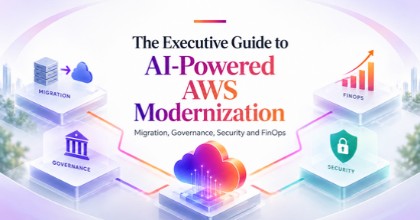
For the wider business context, our executive guide to AI-powered AWS modernization connects migration with governance, security, and cloud economics.
Here, we focus on the delivery question: where can AI remove work from your migration timeline?
Faster engineering does not always mean an earlier launch
A migration has two clocks: the hours people spend working and the calendar time until the new environment is ready. AI may reduce the first without changing the second.
Consider an illustrative project where preparing application changes takes ten working days. AI assistance reduces that task to six days, but a required integration test still depends on a vendor whose next available slot is three weeks away. The team saves effort; the launch date may remain unchanged.
Before buying a tool or accepting an accelerated proposal, identify the critical path: the sequence of dependent activities that determines the earliest completion date.
Ask your team:
- Which task is currently preventing the next task from starting?
- How much time goes into preparation, review, correction, and waiting?
- Would completing that task sooner actually advance the migration?
This makes the conversation about a measurable delivery problem.
Use artificial intelligence to compare migration choices before committing
Choosing what to change during the move can influence the timeline more than coding speed.
Among the AWS migration strategies, three common approaches involve different levels of change:
| Approach | What changes | Decision for leadership |
|---|---|---|
| Rehost | Move the application with limited changes. | Is relocation the immediate priority? |
| Replatform | Adjust selected components, such as moving to a managed database. | Does the operational benefit justify the additional testing? |
| Refactor | Redesign significant parts of the application. | Does the expected improvement justify a larger delivery scope? |
AI can help assemble comparisons from inventory, usage information, and technical requirements. For example, AWS Transform migration assessments support infrastructure recommendations, cost estimates, and scenario comparisons. Those outputs need an engineer’s interpretation. A lower estimated hosting bill may depend on assumptions about utilization or licensing that do not match your situation.
Ask for two clearly defined scopes: changes required to complete the migration, and improvements that could follow afterward. Combining both can be worthwhile, but it should be a deliberate investment decision. OST’s migration and upgrade services cover cloud, application, database, and integration changes, helping businesses assess the complete migration scope.
Give AI a clearly defined engineering task
Once the approach is agreed, AI can assist with work that has a clear input and a testable result: explaining an unfamiliar module, proposing a configuration update, drafting deployment scripts, or adapting repeated code patterns.
The task should be small enough for someone to review properly. For example, “update this application’s file-storage integration and preserve its existing behavior” is easier to validate than “modernize the entire platform.”
Require each proposed change to include:
- The specific behavior it is intended to preserve or improve.
- The files and components affected.
- The checks performed and problems still unresolved.
Large batches of generated changes can shift the bottleneck into review. Smaller changes make it easier to identify which modification caused a failure and whether the proposed fix is appropriate. Use approved AI tools and provide only the code, configuration, and sanitized examples needed for the task. Production credentials should stay out of prompts and generated files.
The deployment process also matters. Versioned infrastructure and automated checks give engineers a consistent way to evaluate changes. These practices are part of OST’s DevOps consulting services.
Test against business requirements
AI can draft tests quickly, but a test derived from newly generated code may repeat the same mistaken assumption. Start with expected behavior agreed before the change. Then use AI to expand test cases and help investigate failures.
Consider an illustrative order-management application moving to AWS. A basic test confirms that an order can be submitted. A useful migration test also checks whether a retried payment creates a duplicate order, whether a cancellation releases reserved stock, and whether the customer receives the correct confirmation.
These scenarios need input from people who understand sales, fulfillment, and customer support.
Data requires separate attention. AWS Database Migration Service data validation can compare source and target records for supported configurations. Its checks consume resources and have documented limitations.
Matching records do not prove that every application workflow behaves correctly. Teams should also reconcile meaningful business totals and test how the migrated application reads and updates the data.
AI can help draft reconciliation queries and group failures for investigation. Engineers must validate the queries, and business owners must confirm what the results mean. Combining automated checks with exploratory, integration, and performance testing is the purpose of a structured quality assurance process.
Rehearse the cutover, including new transactions
Cutover is the point when users and connected systems begin relying on the AWS environment.
AI can help prepare the runbook: the ordered instructions for switching traffic, checking integrations, validating results, and escalating problems. Its usefulness becomes clearer during rehearsal, when the team can compare those instructions with what actually happens.
One detail deserves particular attention: transactions created after the switch.
If customers place orders in AWS and the team then returns to the old environment, those new orders need to be accounted for. AWS’s cutover guidance specifically addresses recovery after the new environment has received transactions.
Before launch, establish:
- What happens to writes while the switch is in progress.
- How the team confirms that required data has arrived.
- Which failures trigger a pause or recovery action.
- How transactions created after cutover will be preserved.
A human decision-maker should assess the rehearsal results and authorize the production switch. AI can summarize findings; it cannot decide how much disruption your customers can tolerate. Include post-launch support in the schedule so engineers are available to investigate issues as real traffic reaches the migrated system.
Measure net time saved before expanding AI use
Start with one representative application or a repeatable migration task. Choose something substantial enough to expose integration and review challenges, with clear acceptance criteria. Record the effort required for preparation, implementation, review, testing, and rework. Include time spent setting up the AI tool and preparing its inputs.
An illustrative comparison shows why:
| Activity | Without AI | With AI |
|---|---|---|
| Prepare changes | 20 hours | 8 hours |
| Review and correct | 4 hours | 9 hours |
| Total effort | 24 hours | 17 hours |
The net savings is seven hours. This is a hypothetical example, not an expected performance claim. If AI-specific setup or additional testing requires another three hours, the saving falls to four.
Also track whether that saved effort advances the completion date and whether defects increase. Compare tasks of similar complexity; an easy pilot can give an unrealistic picture of the wider portfolio. For leadership, a useful migration update explains what finished earlier, what still blocks delivery, and how much correction the AI-generated work required.
Start with a migration assessment you can act on
AI is most useful when your team can define the task, supply relevant information, and verify the result. Its contribution becomes measurable when the scope and acceptance criteria are clear. Before committing to a faster timeline, establish the current bottleneck, select a suitable task, and test whether AI reduces total effort without increasing unresolved defects.
OpenSource Technologies can help assess the application, plan the migration, and coordinate engineering and testing. Discuss your AWS migration with OST to identify where AI assistance could make a practical difference to your project.